Let me say the unpopular part first: most presets you can buy online are not worth it. They are built on one perfect photo, they turn skin orange and they fall apart the moment your light changes.
But a good preset is one of the best small investments you can make for your photos. Here is how I, as a working photographer, tell the difference.
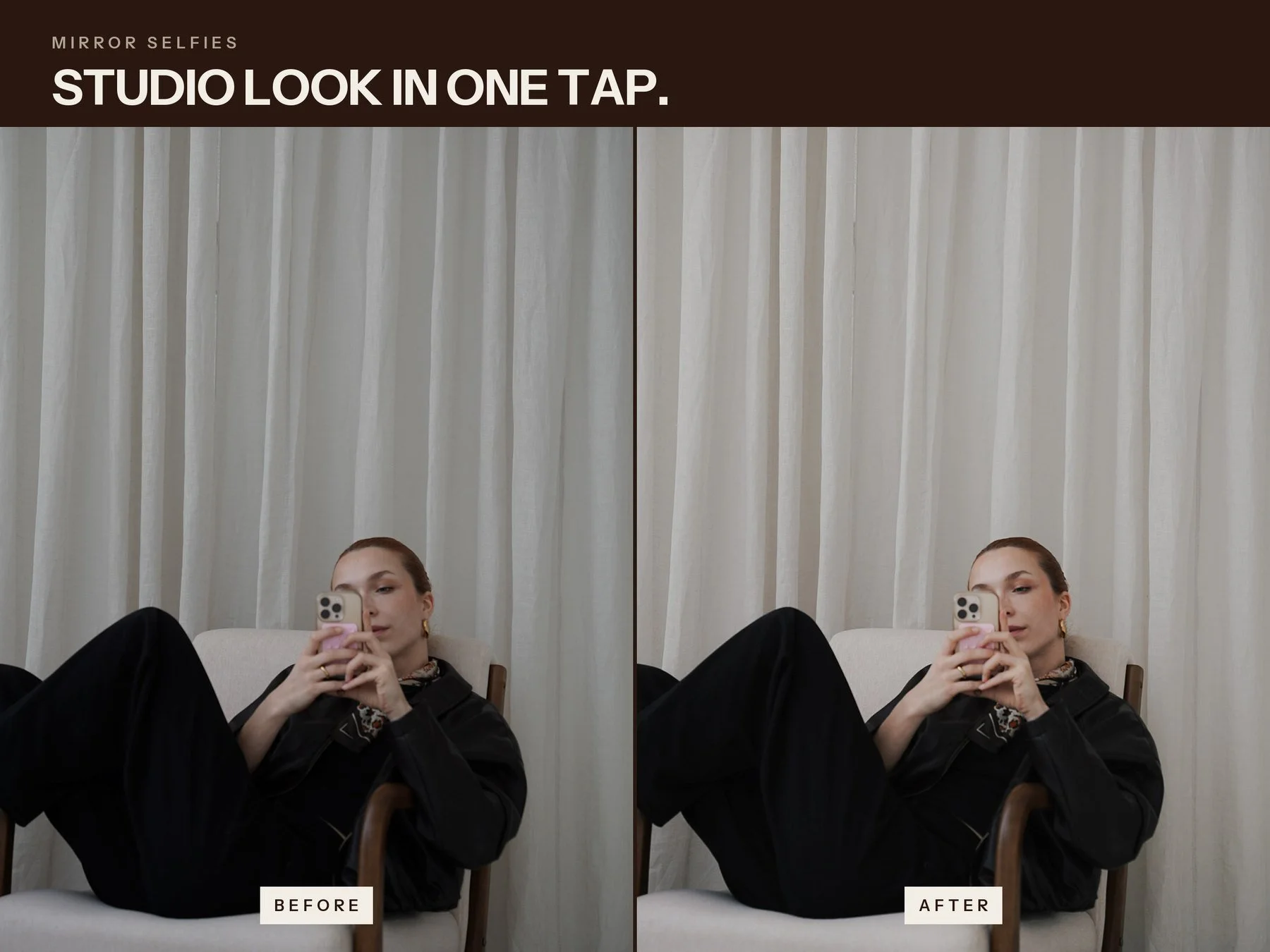
A mirror selfie in grey studio light. One tap, and the skin is warm, the background stays calm and nothing looks filtered.
When a preset is worth it
You post regularly and want your feed to look like one person made it
You spend more than ten minutes editing a single photo
Your photos look grey, flat or too cold, but you don't know which slider fixes it
You run a small business and need consistent product, café or portrait photos
When it is not
The preview only shows one type of photo, usually a beach at sunset
Skin looks orange or plastic in the examples
You get 300 presets for 5 euros. Nobody tested 300 looks properly
What to check before you buy
Before and after on real skin. Not just landscapes. Ideally different skin tones and hair colours.
Grey-day examples. Any preset looks good on a sunny photo. The test is November light.
Who made it. A photographer who uses it on paid work has a reason to make it reliable.
Mobile support. It should work in the free Lightroom app, without a subscription.
Why I only sell one preset
I could have made a pack of 30. Instead, Soft Daylight is the one look I actually use on my own photos, tested on selfies, interiors, food and travel. One preset that works beats 30 that almost work.
See the before and afters here: Soft Daylight, or get it in my Etsy shop.