If you have red hair, you know the feeling. You put a warm filter on a selfie and suddenly your hair glows neon orange, your skin looks yellow and your freckles disappear. Cool filters are no better: they make fair skin look grey and tired.
I'm Anna, a photographer from Stuttgart, and a redhead myself. I built my Lightroom Mobile preset Soft Daylight on my own photos first, so I tested it on exactly that problem.
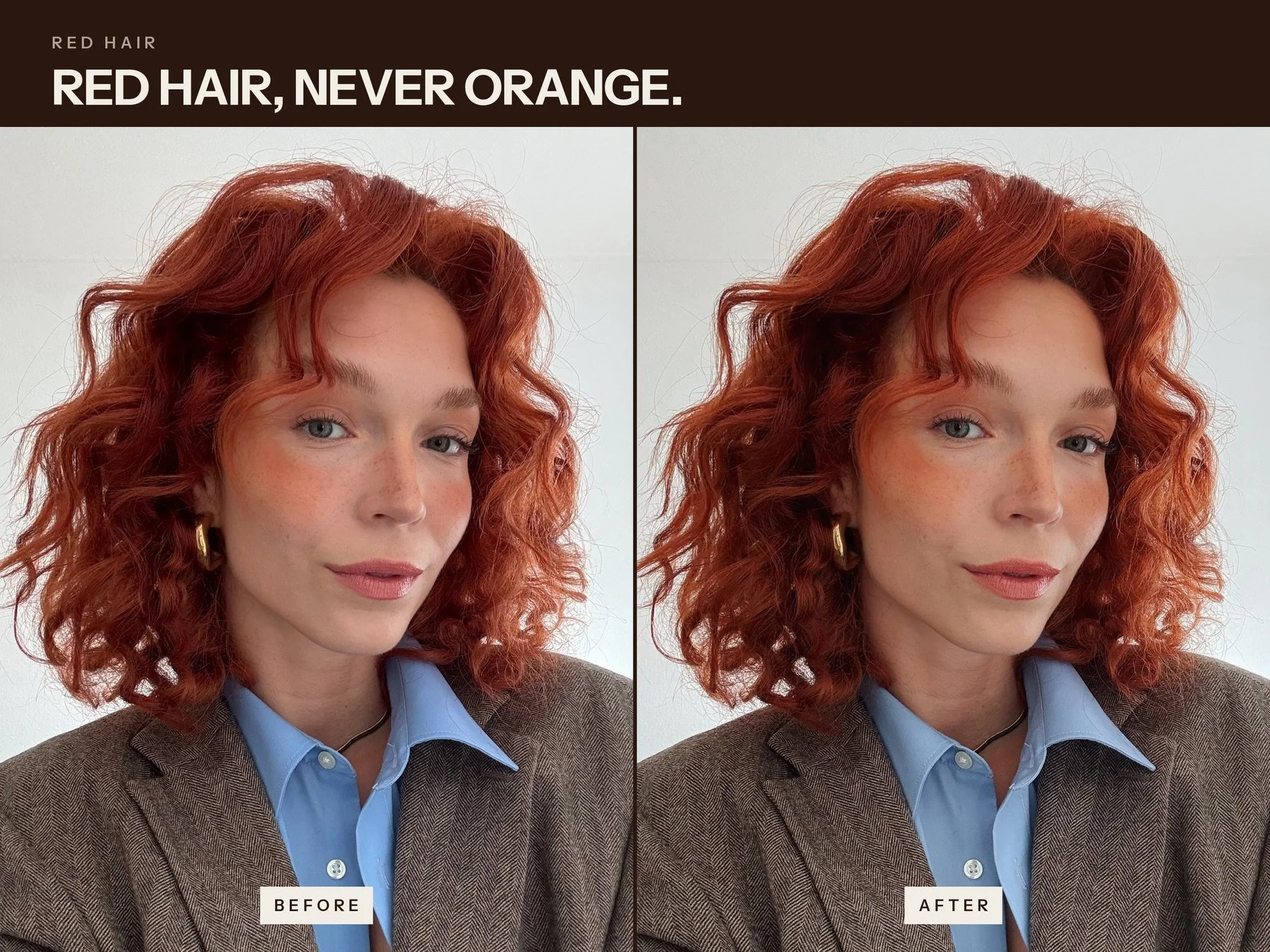
Curly red hair, white wall, grey daylight. After one tap the skin is warmer, the hair stays red and the blue shirt stays blue.
Why most presets fail on red hair
Most presets push oranges and yellows to make photos feel warm. That works on a beach shot. On red hair and fair skin, the same push doubles up: hair turns orange, skin turns yellow, freckles blur away. A good preset for redheads does the opposite. It warms the light, not the skin.
What Soft Daylight does differently
Warm, soft light without shifting skin towards orange
Red, copper and strawberry blonde hair stays its real colour
Freckles stay sharp and visible
Fair skin gets a soft glow instead of a grey cast
Whites stay clean, so shirts and walls don't turn yellow
How to use it
Download the free Lightroom Mobile app (iPhone or Android, no subscription needed).
Install the preset with the step-by-step guide that comes with it. It takes about three minutes.
Open a selfie, tap the preset, done. If your skin is very fair, lower the exposure slightly.
Get the preset
Soft Daylight is available in my Etsy shop and here on my website: Soft Daylight. It comes with an English and German install guide.